Getting started with forex trading can feel overwhelming, but metatrader 4 simplifies the process with its intuitive design. This comprehensive platform has attracted over 750 million downloads worldwide, making it the most popular choice among retail traders.
Installing and Setting Up Your Platform
Download the MT4 software from your broker’s website and complete the installation process. The setup wizard guides you through account configuration, requiring your login credentials and server information provided by your broker.
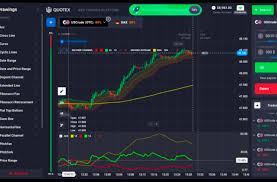
Once installed, familiarize yourself with the main interface. The platform displays four key areas: the Market Watch window showing currency pairs, the Navigator panel containing accounts and indicators, the Terminal showing trade history, and the main chart area for price analysis.
Understanding the Trading Interface
The Market Watch window lists available currency pairs with real-time bid and ask prices. Right-click to add or remove instruments based on your trading preferences. Popular pairs like EUR/USD and GBP/USD typically appear by default.
Charts form the foundation of trading decisions. MT4 offers nine timeframes, from one-minute to monthly views. Switch between timeframes using the toolbar or keyboard shortcuts. The platform supports three chart types: line, bar, and candlestick charts.
Essential Trading Tools for Beginners
MT4 includes 30 built-in technical indicators to help analyze market trends. Start with simple indicators like moving averages and RSI before exploring more complex tools. Access indicators through the Navigator panel or the Insert menu.
The platform offers 24 analytical objects, including trend lines, support and resistance levels, and Fibonacci retracements. These drawing tools help identify key price levels and potential entry or exit points.
Placing Your First Trade
To open a position, right-click on a currency pair in Market Watch and select “New Order.” The order window displays current market prices and order options. Choose between market execution for immediate trades or pending orders for future execution at specific price levels.
Set your trade volume carefully, starting with small positions while learning. The platform allows flexible leverage options, enabling you to control larger positions with smaller capital amounts.
Risk Management Features
Stop-loss and take-profit orders protect your capital and secure profits automatically. Set these levels when opening trades to limit potential losses and lock in gains without constant monitoring.
Trailing stops adjust automatically as prices move in your favor, helping maximize profits while maintaining downside protection. This feature proves particularly valuable for trending markets.
Mobile Trading Capabilities
Statistics show that 60% of MT4 trades now occur on mobile devices. Download the MT4 mobile app to monitor positions and execute trades from anywhere. The mobile version includes essential features like chart analysis, order placement, and account management.
Automated Trading Options
Expert Advisors (EAs) represent MT4’s automated trading capability. These programs execute trades based on pre-programmed criteria, operating continuously without human intervention. Approximately 40% of MT4 users incorporate some form of automated trading into their strategies.
Getting Started with Analysis
Begin with basic chart analysis using simple indicators and trend lines. The platform’s economic calendar integration helps track important news events that impact currency prices. Market-moving announcements often create trading opportunities for prepared traders.
Practice with the platform’s demo account feature before risking real capital. This approach allows you to test strategies and familiarize yourself with order execution without financial risk.
Your Path Forward
MetaTrader 4 processes millions of transactions daily, demonstrating its reliability and capacity for high-volume operations. The platform’s user-friendly design combined with powerful analytical tools creates an ideal environment for beginning traders to develop their skills and execute their strategies effectively.